

Picture this. You’re sitting with a stack of printed notes, a photo of a whiteboard from a meeting, or a scanned contract that somehow landed in your inbox as a flat image instead of an actual document. You need the text out of it, but retyping the whole thing feels like a punishment for something you didn’t even do. If you’ve been there, you already know how much time disappears into this kind of manual grunt work. This is exactly the problem image to text tools were built to solve, and once you actually use one, it’s hard to imagine going back to typing everything out by hand.
What Image to Text Actually Means
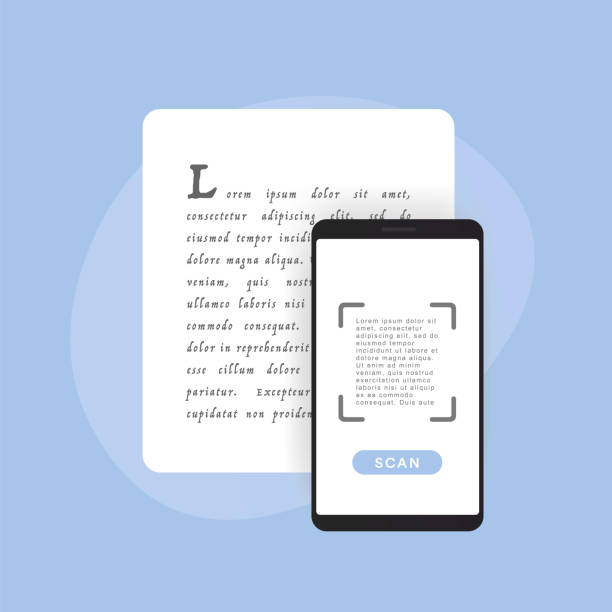
At its core, image to text is a process that pulls written content out of a picture and turns it into text you can actually edit, search, or copy elsewhere. The technology behind it is usually called optical character recognition, or OCR for short, and it works by analyzing the shapes within an image and matching them to recognizable letters and words.
An image to text converter takes that whole process and wraps it into something simple enough for anyone to use, no technical background required. Upload or drop in an image, and within seconds you’ve got text you can paste into a document, an email, or wherever else it needs to go.
Why Manual Typing Is Such a Time Sink
It’s easy to underestimate how much time gets lost retyping content until you actually track it. A single page of dense text can take several minutes to type out accurately, and that’s assuming no typos slow you down along the way. Multiply that across multiple pages, documents, or images, and suddenly what felt like a quick task has eaten up an entire afternoon.
There’s also the mental fatigue that comes with it. Typing out long passages of text isn’t exactly engaging work, and it’s the kind of task that drains focus without actually requiring much thought. That combination, slow and tedious, makes it one of the more frustrating parts of a lot of people’s workdays.
Who Actually Benefits From This
Students are probably the most obvious group here. Textbooks, handwritten notes, lecture slides captured on a phone camera, all of it can be converted into usable text almost instantly instead of being retyped word by word during study sessions. For anyone preparing flashcards, study guides, or just organizing notes digitally, this alone can save hours over the course of a semester.
Professionals run into this constantly too. Scanned contracts, old printed reports, business cards, receipts for expense tracking, these all show up as images at some point, and needing the actual text out of them is a pretty regular occurrence. Rather than retyping a scanned invoice line by line, an image to text converter handles the heavy lifting in seconds.
Writers and researchers benefit as well, particularly when pulling quotes or references from printed books, old archives, or photographed documents. Instead of manually transcribing a paragraph, the text comes out ready to paste directly into whatever they’re working on.
What a Good Converter Should Actually Offer
Not every image to text tool is built the same way, and a few features really do make a noticeable difference in day to day use. Accuracy matters most, obviously, since a tool that garbles half the words defeats the entire purpose. Support for multiple languages matters too, especially for anyone working across different regions or dealing with multilingual documents.
Privacy is worth paying attention to as well, something that doesn’t always get enough consideration. Some tools upload images to a remote server to process them, which means your content, documents, notes, whatever it happens to be, is technically passing through someone else’s system. Tools that process images directly on your own device avoid that concern entirely, which matters a lot more when you’re dealing with anything sensitive, like contracts, personal notes, or financial documents.
Ease of use counts for a lot too. The best tools don’t require creating an account, don’t slap watermarks across your results, and don’t limit you with credits or usage caps that force you to pay just to get your own text back.
How the Process Actually Works in Practice
Using an image to text converter is usually about as simple as it sounds. You upload a photo, a screenshot, or a scanned document, and the tool analyzes the image, identifies the text within it, and converts everything into an editable format within seconds. From there, you can copy the text directly, download it, or paste it straight into whatever program you’re working in.
Tools like handle this entire process right in the browser, without requiring an account or uploading files to a server, which keeps things fast and keeps your content private at the same time. That kind of straightforward setup makes a real difference for anyone who just wants to get text out of an image without jumping through unnecessary hoops first.
A Few Practical Tips for Better Results
Image quality plays a big role in how accurate the output ends up being. Clear, well-lit photos with minimal blur tend to produce much cleaner results than dark, angled, or low-resolution images. If you’re photographing a document yourself, taking a moment to get a straight, well-lit shot can save you from having to clean up messy text afterward.
Handwriting can be trickier than printed text, since recognition software generally performs best with standard fonts rather than cursive or stylized handwriting. For anything handwritten, it’s worth double checking the output before relying on it completely, just in case a word or two gets misread along the way.
Final Thoughts
Manual typing is one of those tasks that quietly eats up far more time than people realize, whether it’s transcribing notes, retyping a scanned document, or pulling quotes from a printed page. An image to text converter removes that burden almost entirely, turning a tedious, time-consuming chore into something that takes seconds instead of hours.
For students juggling notes, professionals dealing with scanned paperwork, or anyone who’s ever stared down a stack of printed pages wishing they were already digital, this kind of tool is worth having on hand. Once you’ve used a reliable image to text converter even once, it’s genuinely hard to imagine going back to typing everything out manually ever again.